01
I manage a fleet
Plan pre-start testing, vehicle assignment, exception review and reporting around your operation.
Explore fleet managementSoberGuard · South Africa
Connected alcohol testing, records and exception workflows for South African fleets, mines, logistics operators, security companies and industrial sites.
Installation, commissioning, training and ongoing support are available. Final functionality depends on vehicle, connectivity and operating-policy assessment.
Choose your route
Different teams need different answers. Pick the closest match and explore a practical next step.
Plan pre-start testing, vehicle assignment, exception review and reporting around your operation.
Explore fleet managementDiscuss shift-start testing, site access and a response procedure that fits your written policy.
Explore workplace testingReview scope, rollout, training, support and the documentation your team needs to evaluate.
View procurement informationOne operational workflow
Map the testing point, responsibility and next step first. Then confirm which equipment functions and records are available for the selected configuration.
Request a fleet assessmentSet who is expected to test and which vehicle, shift or site context is relevant.
The SBD-306 records a test event; available context depends on configuration and connectivity.
Authorised people review results and any exception against the organisation’s policy.
Use available records for operational review and follow-up, subject to configured access and retention.
When a result needs attention
A test result is not an automatic employment or fitness-to-drive decision. Set responsibilities and actions in your organisation’s written policy.
Time, user, vehicle or site and other available context may be recorded.
The agreed threshold or written policy determines whether an event needs review.
Configured notifications or a review process can bring an exception to the right team.
The organisation decides whether to hold, retest, escalate, arrange alternate transport or take another action.
Reporting and audit review depend on the selected system configuration and retention settings.
Equipment summary
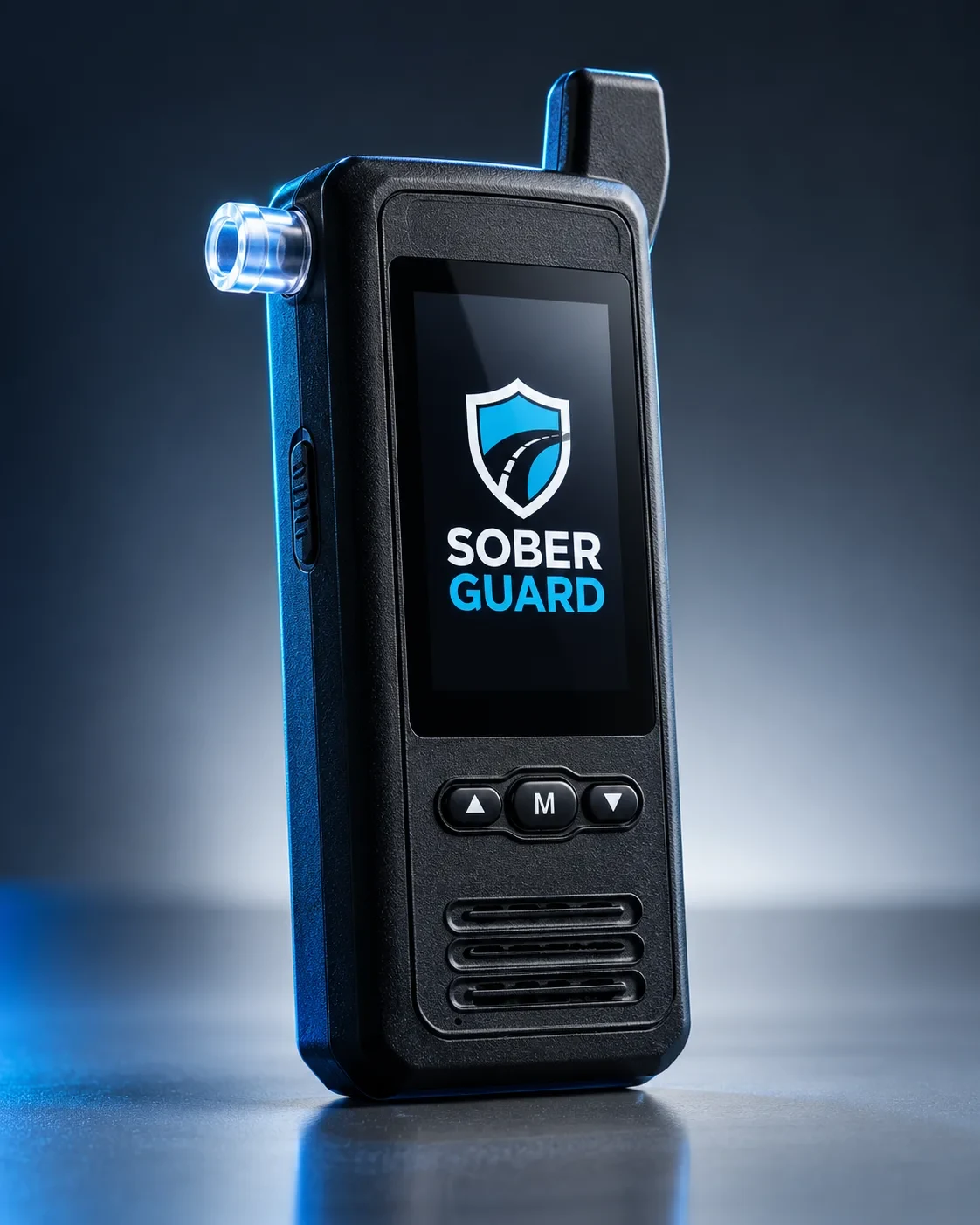
The SoberGuard SBD-306 combines fuel-cell alcohol detection, a 5MP camera and GPS-enabled reporting in a connected breathalyser for commercial fleet operations. Plan the vehicle installation, connectivity and optional interlock around your fleet's requirements.
Features, records and availability depend on the supplied configuration, vehicle compatibility and connectivity. Confirm final specifications in writing before procurement.
Review product scope and open questionsSBD-306 in action
Product demonstration footage only, not a live installation or customer evidence. Functions depend on the confirmed configuration.
The product footage shows a breathalyser and an example testing workflow. This text explains the visual context; it is not a verbatim speech transcript. The operating process is identify the user, perform the test, review the available result and context, and report to authorised personnel. Camera images do not imply facial recognition. The organisation’s written policy determines the response to an exception; the device does not decide that someone is safe to drive.
Video loads as you reach this section. Use its play and pause controls to view the demonstration.
Illustrative platform preview
This light summary explains the kinds of information a team may review. It is a simulation only—not live telemetry, a customer record or proof of deployment.
Open the full simulated demoOperations overview
Illustrative screen · simulated data
Test events
Recent activity
Review queue
Exceptions
Vehicles
Assigned units
Reports
Available views
Screen details and data are illustrative. Actual access, records and reporting depend on configuration.
Choose an operating model
Compare self-managed and managed/shared oversight, then confirm the specific scope, responsibilities and support available for your deployment.
Manage it yourself. Or let SoberGuard help manage it with you.
Choose who owns day-to-day monitoring. Both options are built around fleet accountability, documented records and management visibility—not equipment alone.
Your team leads
For in-house fleet managers, safety officers, supervisors and control-room staff.
Your team manages monitoring and follow-up; SoberGuard equips and prepares the system.
Shared oversight
For fleets that want ongoing monitoring support alongside their in-house responsibilities.
The same installed system, with SoberGuard support for oversight, exceptions and reporting.
What can be confirmed
SoberGuard is based in Centurion and can discuss installation, commissioning, training and ongoing support. Scope depends on the chosen equipment and operating requirements.
South African contact details and a Centurion base are available for enquiries.
Discuss vehicle or site fit, connectivity, testing workflow and rollout needs.
Compare self-managed or managed/shared oversight and confirm what is included.
Request current product, calibration, data and commercial documentation for review.
Common questions
For fleet and site decision-makers
Share your operating context and request a fleet assessment. Prefer to see the workflow first? Book a demo.